Built for specialty subcontractors on QuickBooks
Run the work. See the cash.
Estimates, jobs, crews, and purchasing, connected to a live cash forecast and WIP that update as the work happens. One system on top of QuickBooks Online instead of a jobs app and a stack of WIP and cash-flow spreadsheets.
- QuickBooks Online
- QuickBooks Time
- Your Bank
- Gusto
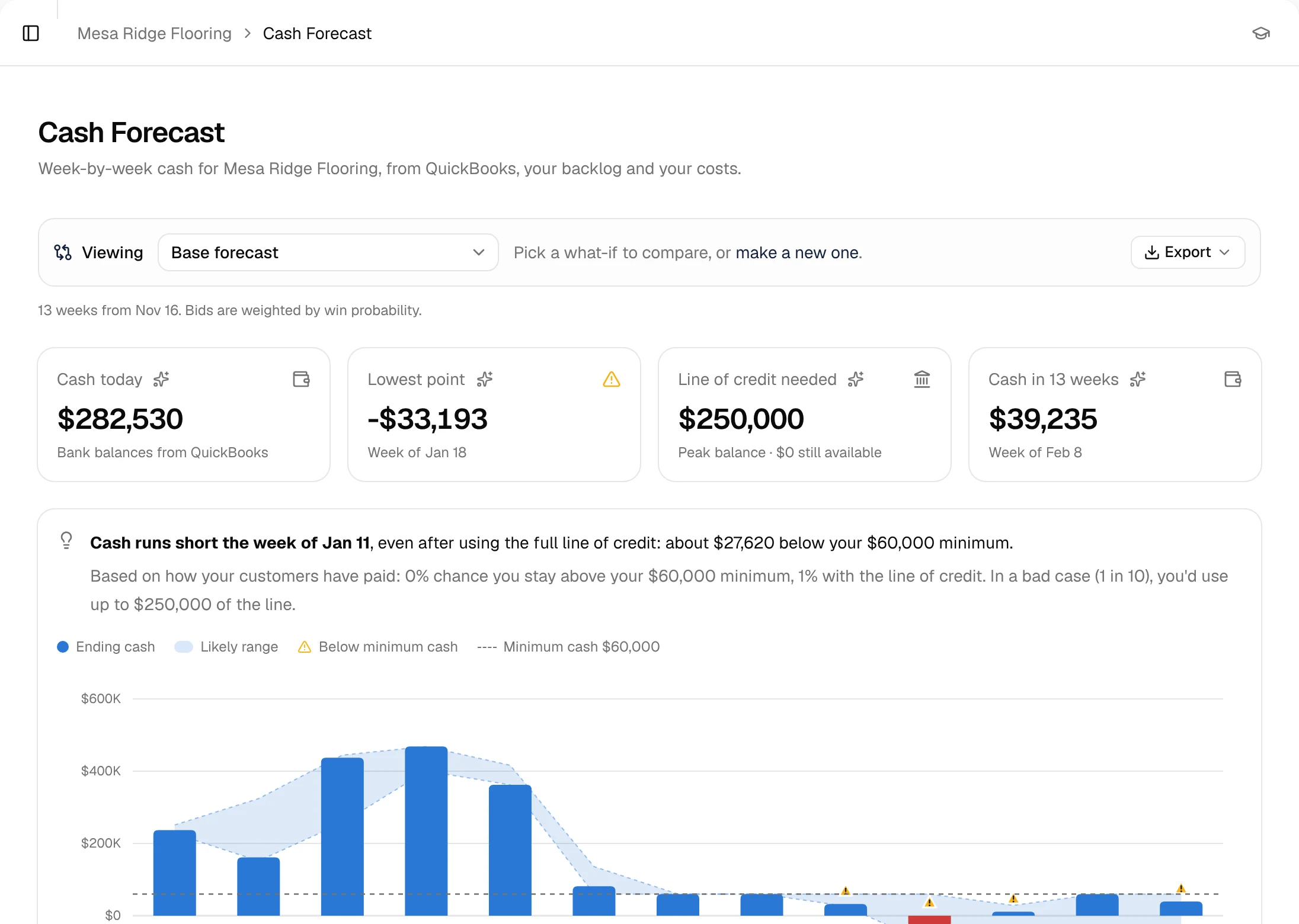
QuickBooks tells you what happened. Not what's coming.
Today
- Estimates in one tool, jobs in another
- Costs keyed into QuickBooks by hand
- WIP rebuilt in a spreadsheet at month-end
- Cash position = bank balance + gut feel
With SubDesk
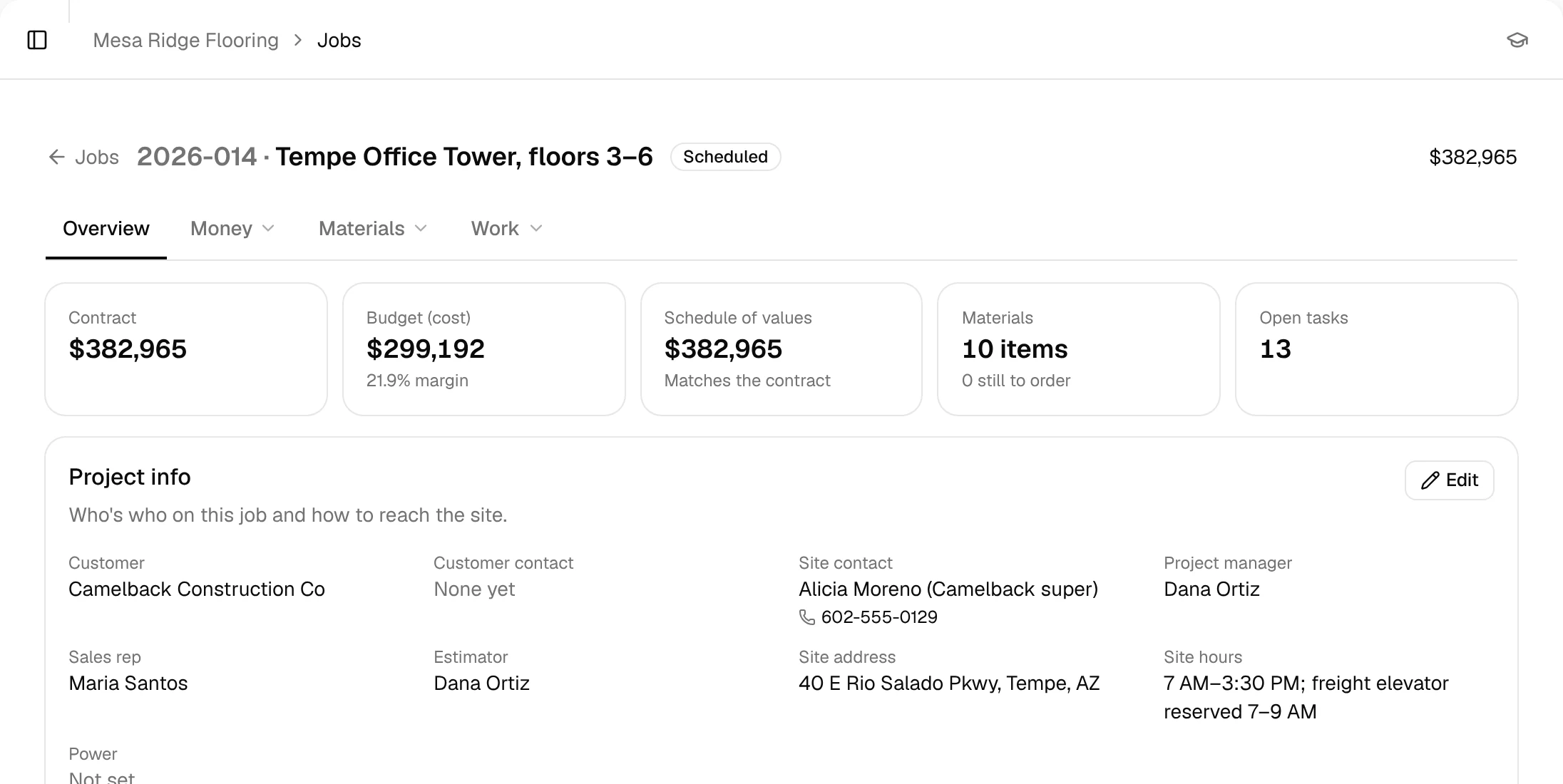
- The estimate becomes the job budget
- Crews update from the field
- Costs land on the job
- WIP is current every day
- The cash forecast shows the next 13 weeks
One job, start to finish, one system.
Example jobTempe Office Tower, floors 3–6: carpet tile, wall base and transitions
Step 1 of 8: Lead
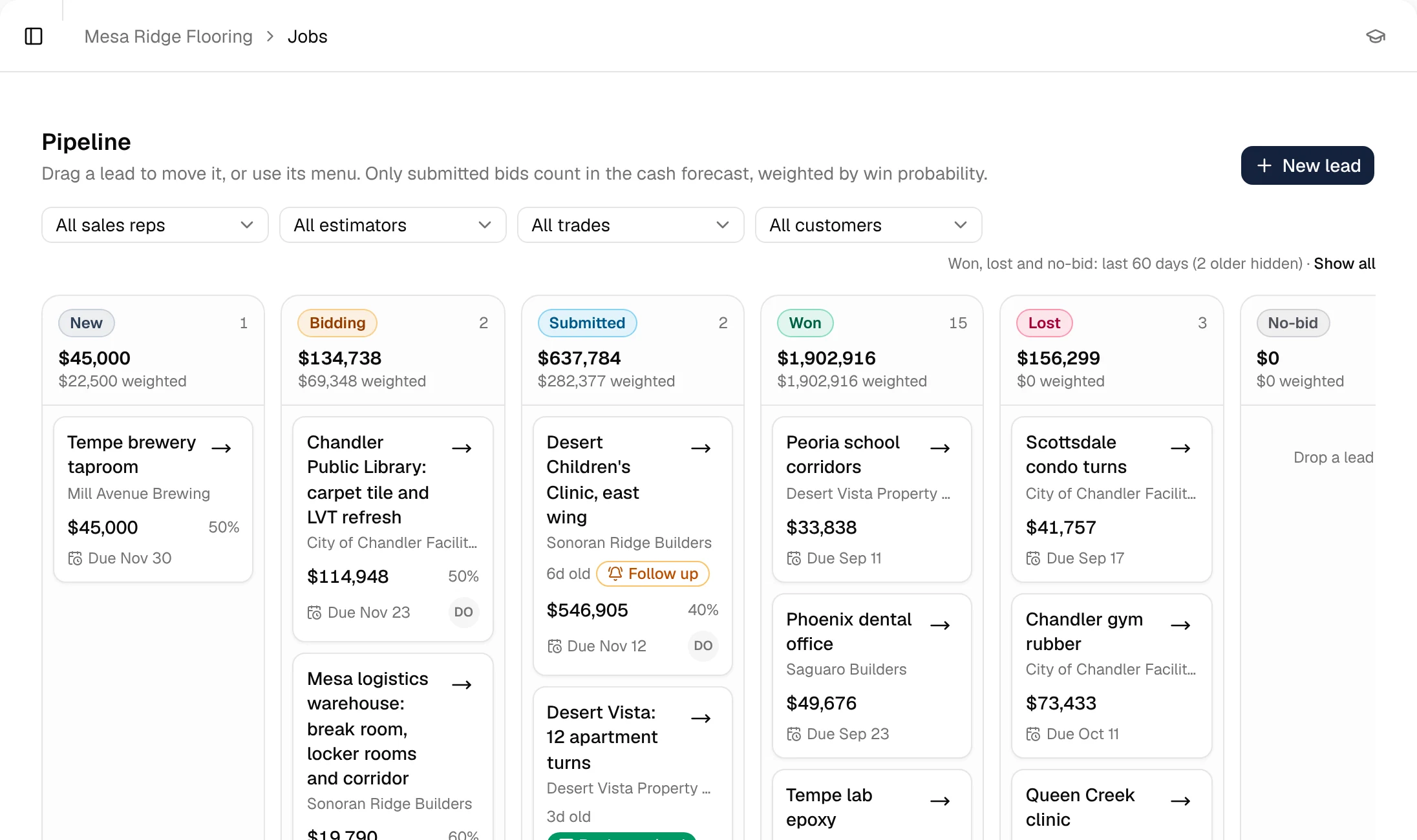
The bid invite lands in your pipeline.
The GC sends the bid invite. It goes straight into your pipeline with the due date and the bid value.
Step 2 of 8: Estimate
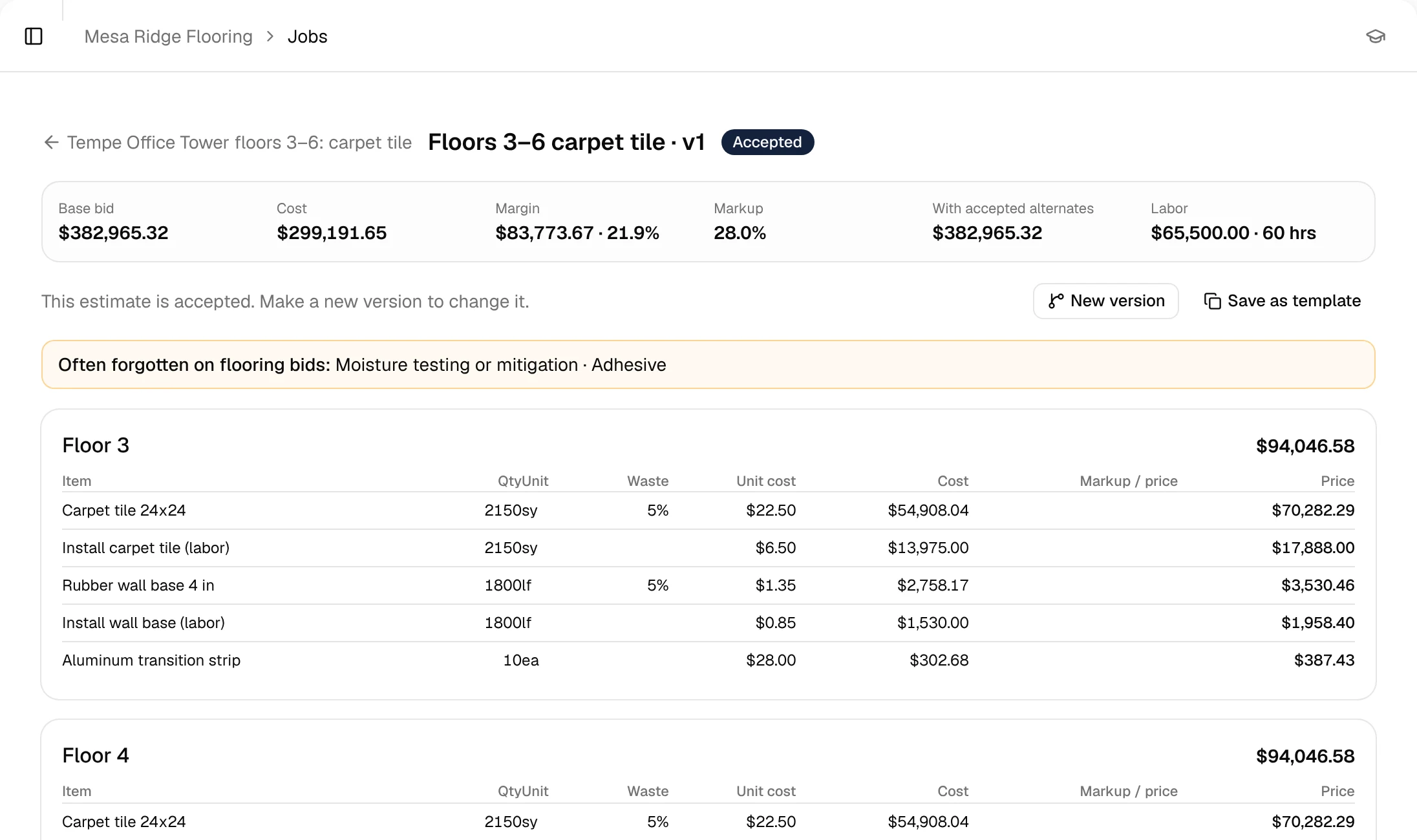
Build it from your price book.
Labor and material lines by area, priced from your own price book, with cost, markup and margin as you go.
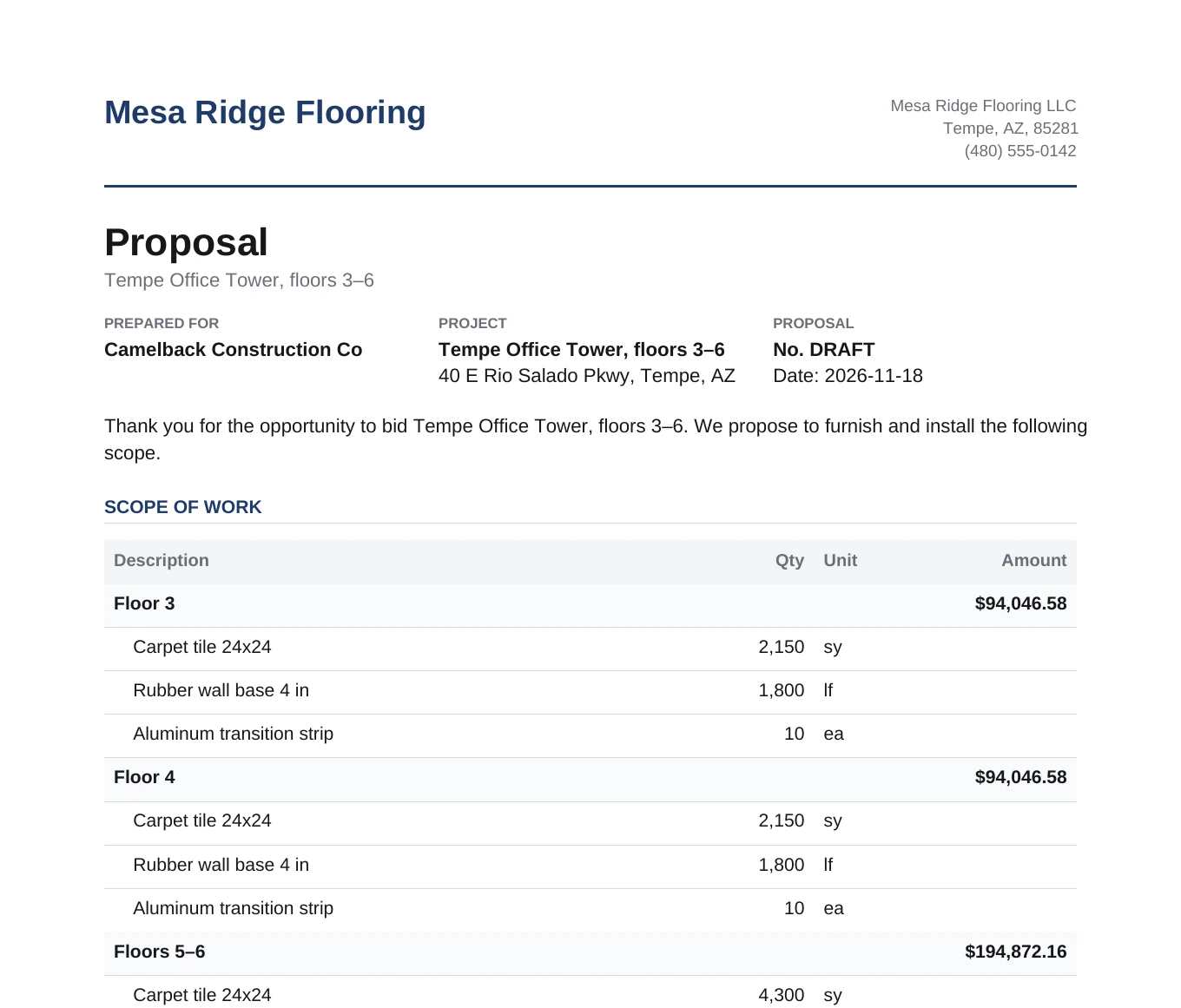
Step 3 of 8: Proposal
Send a branded proposal. Mark it won.
The proposal comes straight from the estimate, with your scope, exclusions and terms. When the GC awards it, it becomes a job.
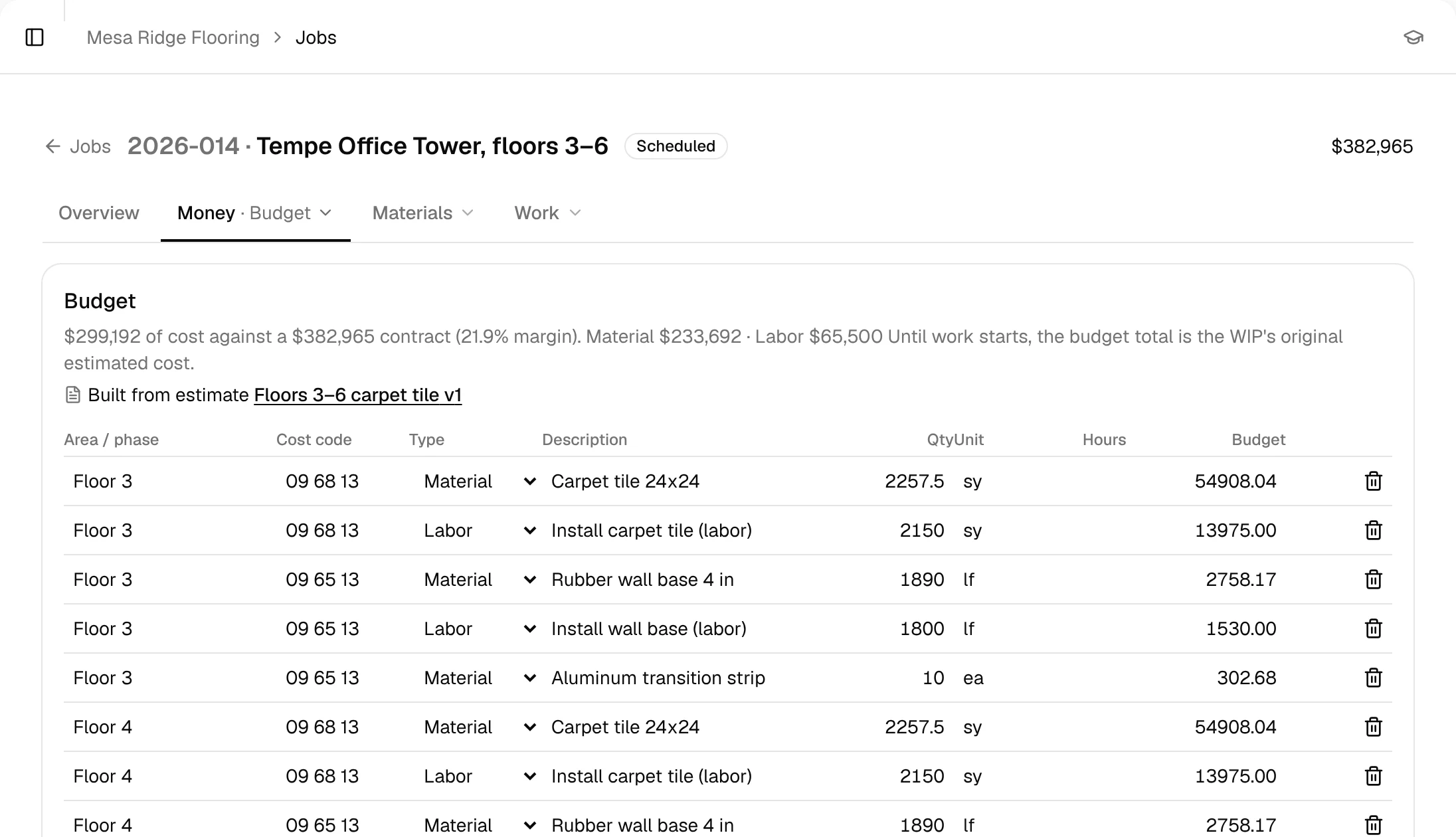
Step 4 of 8: Job
The estimate becomes the job budget.
No re-keying. Every estimate line becomes a budget line on the job, so cost tracking starts on day one.
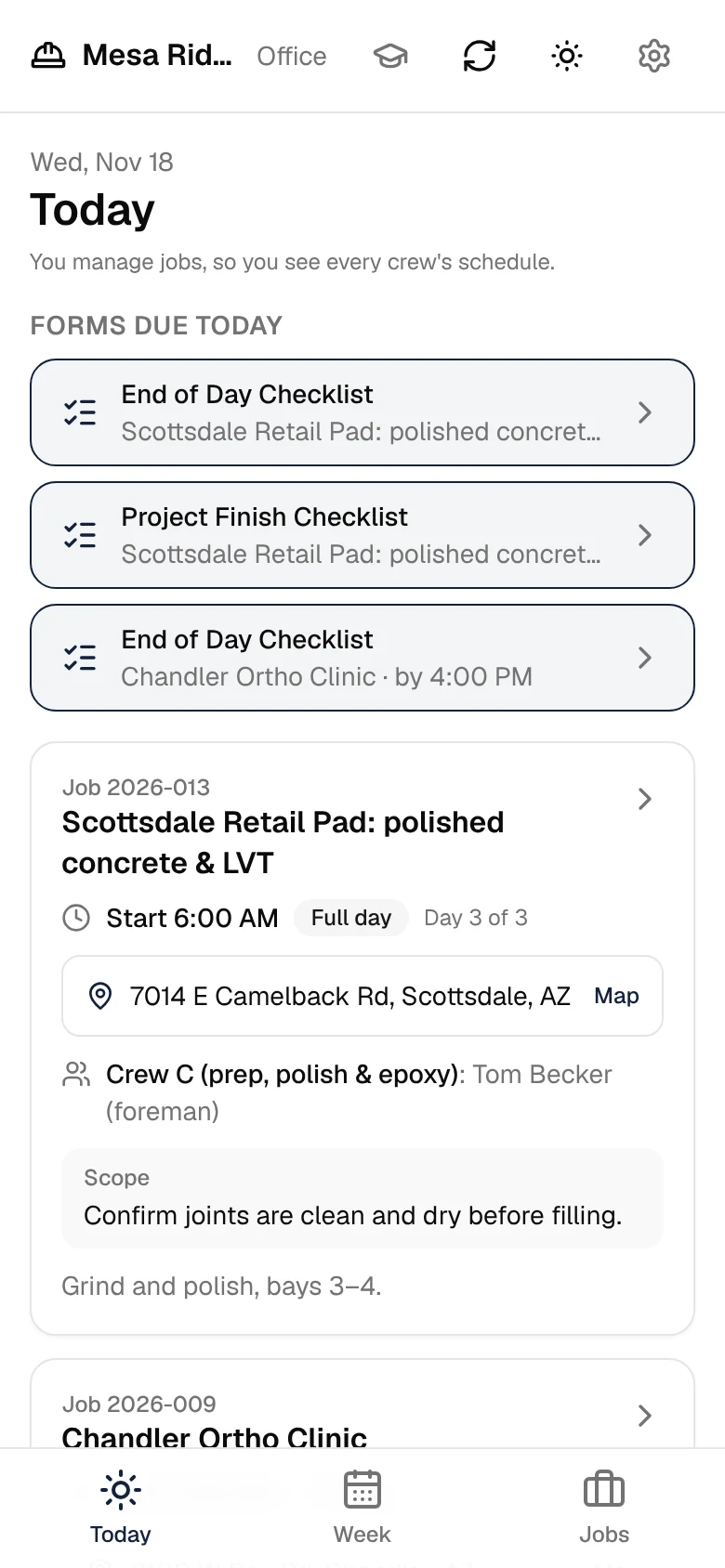
Step 5 of 8: Field
Crews log progress from the field mobile app.
Foremen see their day, fill out their forms and post progress, notes and photos from their phones.
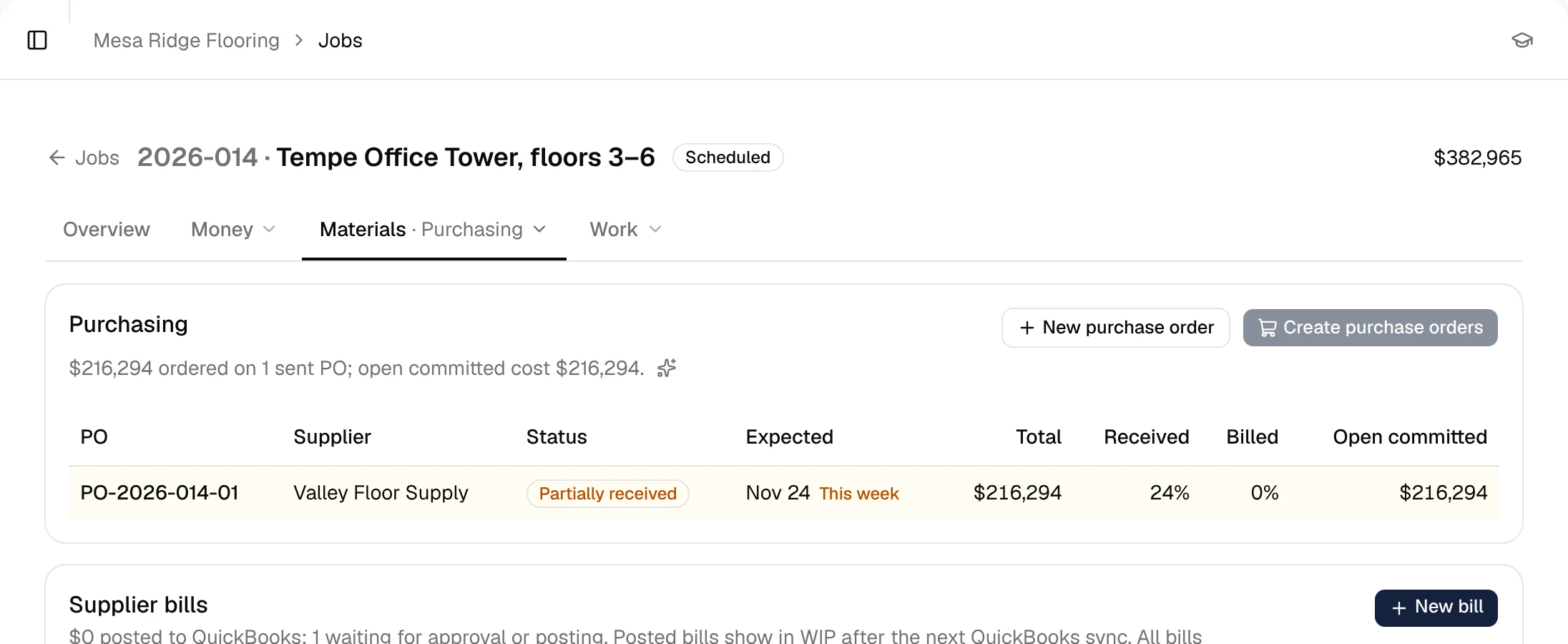
Step 6 of 8: Purchasing
POs and receiving, tied to the job.
Order material against the job budget, mark it received when it shows up on site, and match the supplier's bill.
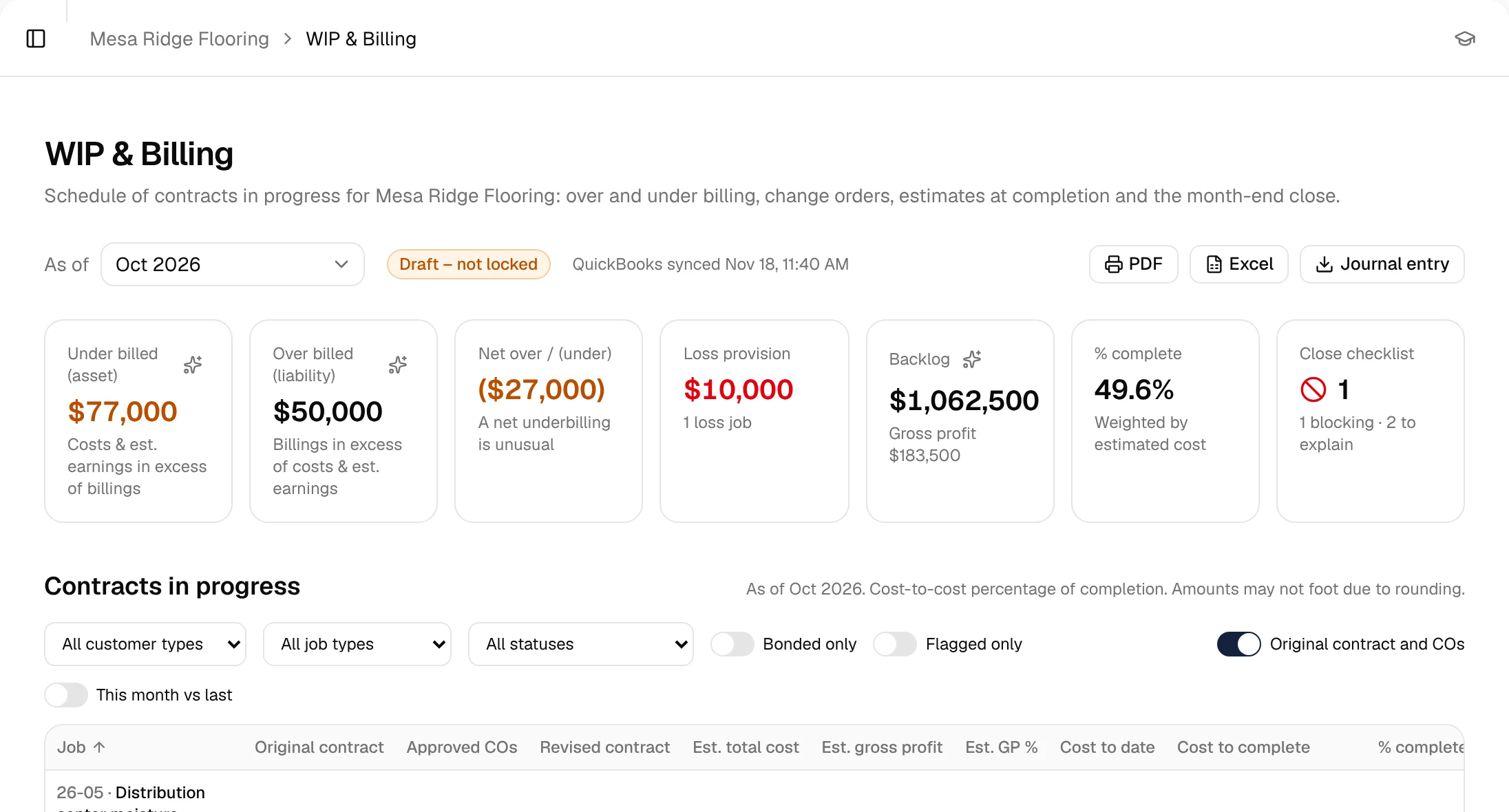
Step 7 of 8: WIP & billing
Percent complete, over/under billing, what to bill.
Costs and field progress roll into WIP every day, so you know what to bill this month without a spreadsheet.
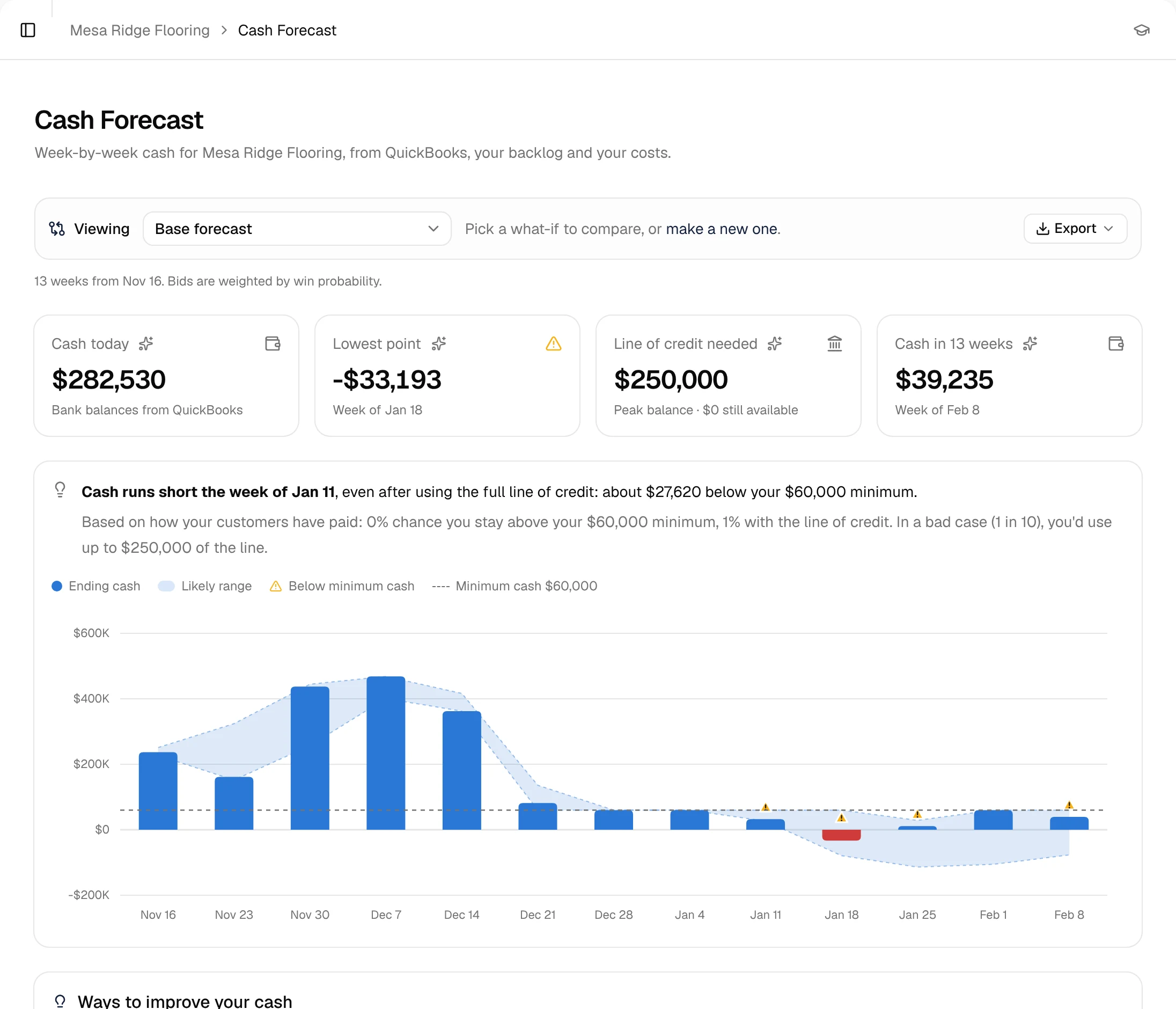
Step 8 of 8: Cash forecast
Every job rolls into your company-wide forecast.
Billings and costs from every job land in your 13-week cash forecast, next to payroll and your bills. Tight weeks show up before you're in them.
Every step feeds the next. That's why the forecast is right.
Two halves. One flow of data.
Run the jobs and see the money in the same place. The jobs side is what keeps the forecast accurate.
Run the work
- Pipeline
- Estimating & price book
- Proposals
- Field app
- Purchase orders & receiving
- Writes to QuickBooks
See the cash
- 13-week cash forecast
- WIP & over/under billing
- Billing
- AI chat over your own numbers
- Live bank balances
- Payroll via Gusto
Know your cash for the next 13 weeks.
Billings from live jobs, your bills, payroll and bank balance in one weekly view. See the tight weeks before you're in them.
Learn more: Cash ForecastWIP that's current every day, not once a month.
Percent complete from real costs, over/under billing per job, and what to bill this month.
Learn more: WIP & BillingEvery job starts with a budget.
The won estimate becomes the job budget, line for line. Track cost against it as POs, bills and field updates come in.
Learn more: JobsProgress from the people doing the work.
Crews post progress, notes and photos from their phones, with no second login for every tool.
Learn more: Field AppMaterial ordered against the job, not a guess.
Purchase orders and receiving tied to each job, so committed cost shows up before the bill does.
Learn more: PurchasingAsk your numbers a question.
"Which jobs are under-billed?" "When is cash tightest, and what would help?" Answers come from your own data, with the figures it used.
Learn more: AI Chat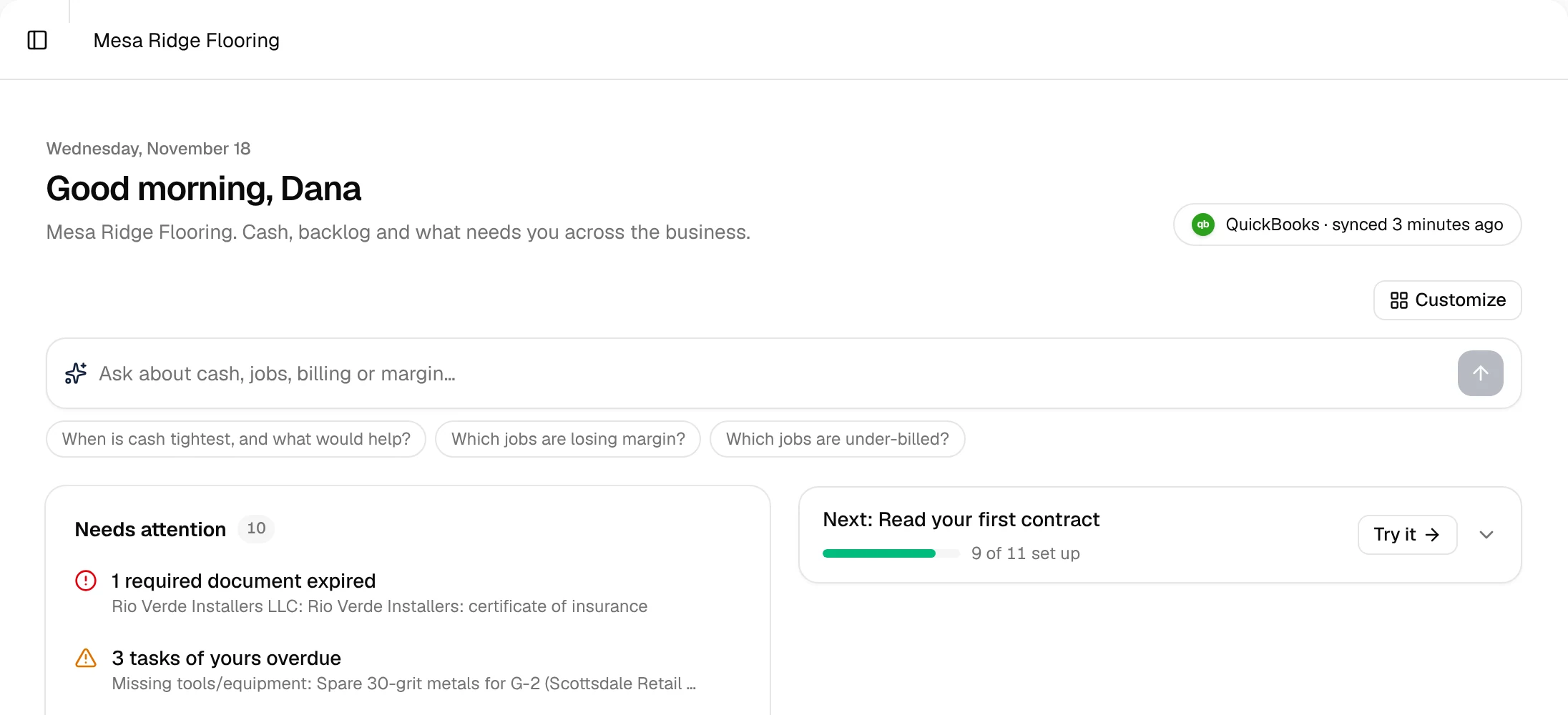
Built for your role.
Owners
Know which jobs make money and whether you can make payroll in six weeks.
Controllers & office
Stop rebuilding WIP in Excel. QuickBooks stays your books.
PMs & foremen
Estimates, jobs, and field updates without a second login for every tool.
Made for the trades that follow the GC.
Flooring
Price LVT, carpet tile and prep by the square foot, and see every job's cash in one place.
FlooringConcrete
Track pours, pump and ready-mix costs per job, and see the cash impact of every pour schedule.
ConcretePainting
Labor-heavy jobs need labor-accurate WIP. Know what you've earned on every job, every day.
PaintingDrywall
Framing, board and finish on one job budget, with over/under billing you don't rebuild in Excel.
DrywallRoofing
Big material orders, weather delays and slow pay apps, all visible in your 13-week cash forecast.
Roofing
One system for the jobs, the WIP and the cash.
Most subs run a jobs app, a WIP spreadsheet rebuilt at month-end, and a cash-flow spreadsheet next to QuickBooks. SubDesk replaces all three and keeps QuickBooks as your books.
Before: Job management app, WIP spreadsheet, Cash-flow spreadsheet and QuickBooks. After: SubDesk (Jobs, WIP & billing, 13-week cash forecast) and QuickBooks.
Become a founding customer.
We're taking a small group of specialty subs on QuickBooks Online to shape SubDesk with us.
Apply to be a founding customer- Locked-in founding price
- A direct line to the founder
- Your feature requests prioritized
- Hands-on QuickBooks setup
Questions subs ask
Does SubDesk replace QuickBooks?
No. QuickBooks Online stays your books. SubDesk reads from it and writes job data back, so your accountant keeps working the way they do today.
What does SubDesk write to QuickBooks?
Job data, so nobody keys it twice. We'll walk through exactly what's written on a demo.
Do I need to connect my bank, QuickBooks Time or Gusto?
They're optional, and each one sharpens the picture. Your bank adds live balances to the forecast, QuickBooks Time adds crew hours to jobs, and Gusto adds payroll dates and totals.
Who can see what?
Three roles: owners see and manage everything, members do the day-to-day work, and viewers can look but not change anything.
How long does setup take?
Connecting QuickBooks takes a few minutes. Founding customers get hands-on help loading jobs and their price book; we'll give you a realistic timeline on the demo.